
HP QuickSpecs for the NVIDIA Quadro M5000 8GB Graphics (M6V53AA), covering specifications, compatibility, and support.
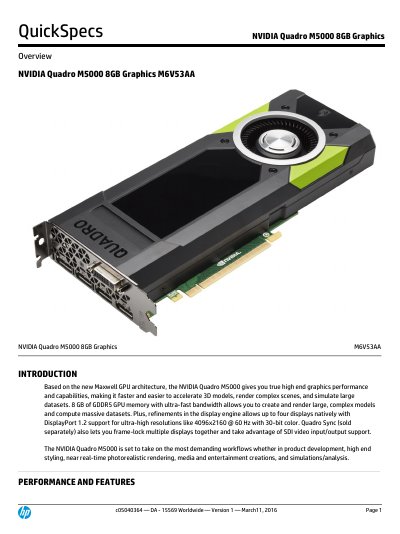
HP QuickSpecs describe the NVIDIA Quadro M5000 8GB Graphics option with HP part number M6V53AA. The card uses an NVIDIA Quadro M5000 GPU with 2048 CUDA cores and 8GB of GDDR5 ECC memory.
It supports up to four displays, PCI Express 3.0 x16, and HP Z440, Z640, and Z840 workstations. The document lists technical specifications, compatibility, service and support, and change history.
| Form factor dimensions | 4.4 in H x 10.5 in L |
|---|---|
| Form factor | Dual Slot, Full Height |
| Cooling | Active |
| Weight | 525 grams (without extender) |
| GPU | GM204 with 2048 CUDA cores |
| Power | 150 Watts |
| Bus type | PCI Express 3.0 x16 |
| Memory size | 8GB GDDR5 ECC capable |
| Memory bandwidth | 211GB/s |
| Memory width | 256-bit |
| Connectors | 1 Dual Link DVI-I and 4 DisplayPort 1.2a |
| Maximum DisplayPort resolution | up to four 4096 x 2160 x 30 bpp @ 60Hz displays |
| Maximum displays | 4 |
| Shader model | 5.0 |
| Graphics APIs | OpenGL 4.5 and DirectX 12 |
The supported workstations are HP Z440, Z640, and Z840.
The display engine drives up to four displays natively.
It has a one-year limited warranty or the remainder of the warranty of the HP product in which it is installed.
No, a factory configured card does not include a video cable adapter; adapters are available separately.