
HP OfficeJet 6300 All-in-One Series Setup Guide

Setup guide for installing and connecting the HP OfficeJet 6300 All-in-One series, including hardware setup, cartridges, paper trays, and USB or Ethernet…
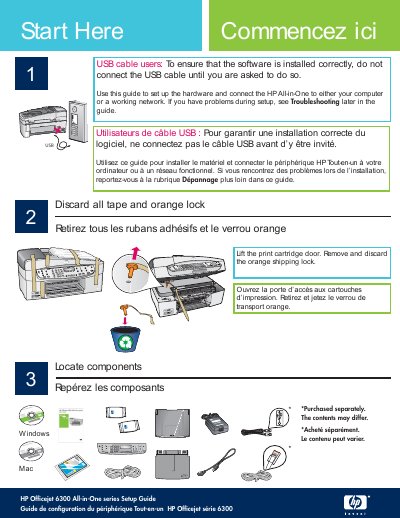

HP OfficeJet 6300 All-in-One Series Setup Guide - cover page
Brand
HP
Category
All-in-one printer
Document type
Installation Guide
Language
French
Pages
16
File format
PDF
File size
8.1 MB
Published
23 November, 2026
Updated
23 November, 2026
MD5 checksum
0384EA949173A2AFB573E457BBC4AC02

About this manual

This guide explains how to set up the HP OfficeJet 6300 All-in-One series hardware, including removing shipping tape and the orange lock, attaching the control panel faceplate, loading paper, connecting power and phone cords, installing print cartridges, and aligning them.

It also covers turning on the computer, choosing a USB or Ethernet connection, and installing the supplied software CD, with troubleshooting referenced for setup problems. This manual is written in French.

What's inside

  • Locate components
  • Attach control panel faceplate
  • Attach paper trays and load paper
  • Connect power cord
  • Connect phone cord
  • Insert tri-color print cartridge
  • Insert black print cartridge
  • Align print cartridges
  • Choose one connection type
  • Section A: USB Connection

Frequently asked questions

When should I connect the USB cable?

Do not connect the USB cable until instructed later in this guide.

What must be attached for the HP All-in-One to work?

The control panel faceplate must be attached for the HP All-in-One to work.

What paper should be loaded during cartridge alignment?

Make sure you loaded plain white paper.

Download PDF (8.1 MB)

More HP Manuals


View all HP manuals →