
The Hongzheng UC-1284B USB-Parallel printer cable user manual provides installation, driver setup, and specifications for Windows PCs.
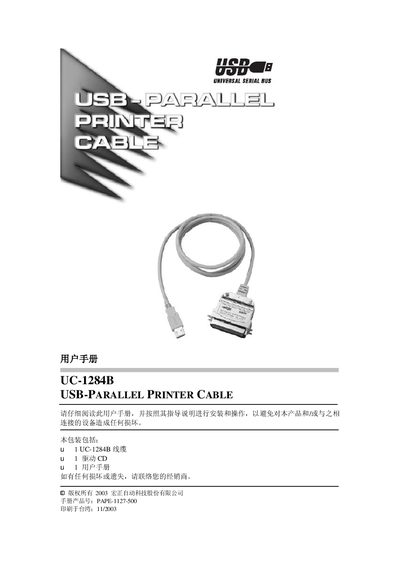
This manual describes the Hongzheng UC-1284B USB‑Parallel printer cable, which enables USB‑enabled computers to print to a parallel‑port printer at up to 12 Mbps. The cable is plug‑and‑play, hot‑swappable, and powered directly from the USB port, eliminating the need for an external power supply.
The guide covers driver installation for Windows 98/ME and Windows 2000/XP, printer configuration, driver uninstallation, and lists the cable’s technical specifications such as connector types, length, power consumption, and operating temperature. This manual is written in Chinese.
| USB connector | USB Type A plug |
|---|---|
| Cable length | 30 cm |
| Power consumption | 90 mA (max) |
| Power supply mode | Bus powered |
| Operating temperature | 5 ~ 40 °C |
| Storage temperature | -20 ~ 60 °C |
| Humidity range | 0 ~ 80 % RH, non‑condensing |
| Weight | 110 g |
Insert the UC-1284B cable, then insert the supplied CD and follow the New Hardware Wizard, choosing to search for the best drivers and completing the installation steps.
The cable can achieve a maximum throughput of 1.216 Mbytes/s in ECP mode.
Remove the cable, insert the CD, run UNINST.EXE from the CD, and then restart the computer.