
User manual for the Honghe HiteBoard Pro interactive multi-function whiteboard: installation, connections, writing software, accessories and specs.
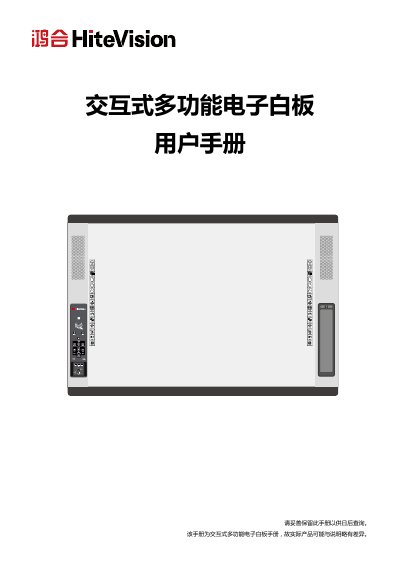
This is the Chinese user manual for the Honghe HiteBoard Pro interactive multi-function electronic whiteboard, a board that combines capacitive touch, central control, audio, a document camera, a wireless MIC, NFC and an OPS computer. The manual opens with safety notes and the recommended computer configuration, then introduces the product, its appearance, the packing list and the installation requirements for embedded and wall-mounted setups, including the 2040.0×1325.0 mm board size and 30 kg weight.
The rest of the manual covers device connection, positioning, installation of the HiteBoard Pro writing software, writing projector control codes, basic whiteboard operation and shortcut keys, the document camera, the central control panel, the handheld wireless MIC, the cloud platform and NFC, troubleshooting, and technical specifications for the board, the wireless MIC and the speakers. This manual is written in Chinese.
| Touch sensing method | 电容感应 (capacitive) |
|---|---|
| Writing method | Capacitive pen, finger |
| Whiteboard resolution | 32767×32767 |
| Whiteboard dimensions | 2040.0×1325.0 mm |
| Net weight | 30 kg |
| Power adapter | 19V/4.74A |
| Total power consumption | ≤ 100W |
| Supported operating systems (specification) | Microsoft Windows XP / Windows 7 / Windows 8 |
| Wireless MIC working distance | ≤ 15 m (no obstruction) |
| Wireless MIC charging time | ≤ 2H |
| Communication interface | USB |
| Operating temperature | 0℃ ~ 40℃ |
| Storage temperature | -40℃ ~ 60℃ |
The manual recommends an Intel Core i3 or higher, 2 GB RAM or more, a DirectX 10 graphics card, 20 GB free hard disk space and a USB 2.0 or USB 3.0 port, running Microsoft Windows XP, 7, 8 or 10.
It weighs 30 kg and must be installed on a solid wall; hollow walls and wooden walls are not allowed. Embedded installation is used when it is combined with a traditional sliding blackboard.
The list includes the whiteboard, its dedicated adapter, two writing pens, five cloud platform ID cards, a 7.5 m USB cable, a projector serial cable, a wireless MIC set, a software disc, a warranty card, a certificate, a 3 m HDMI cable, four wall mounts, eight M6*50 expansion bolts and an OPS computer.
Check that the whiteboard adapter power is connected, use the supplied Honghe education cloud card, move away from strong interference sources, or contact local after-sales service if the card is damaged.