
Hobbywing USB Link software manual: install and run the program, set ESC parameters, and upgrade ESCs, the 2 In 1 Program Box and Brushless System Analyzer.
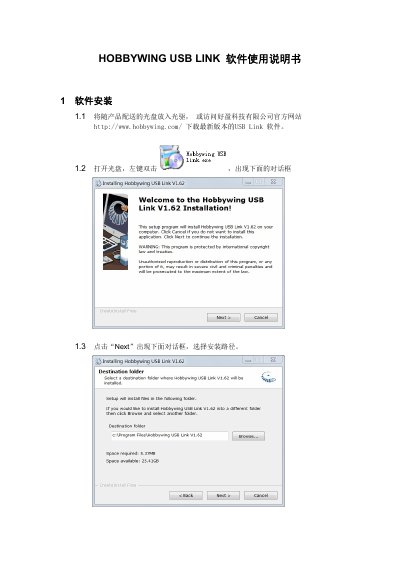
This is the Chinese user manual for the HOBBYWING USB LINK software from Hobbywing Technology (Shenzhen). It walks through installing the program from the supplied CD or from the hobbywing.com website, running it, and switching the interface language via File > 中文. The manual then describes the main window: title bar, drop-down menus for selecting the device and for help/update, the four tabs (About, Basic Settings, Advanced Settings, Software Information), the status bar connection and work indicators, and the Save and Restore buttons.
The usage chapter explains the software's two functions: setting parameters and upgrading firmware for Hobbywing ESCs that support the USB interface, and upgrading firmware for the 2 In 1 Program Box and the Brushless System Analyzer. It covers selecting the device, connecting the hardware over USB (and, for ESCs, wiring the BEC control lead to the ESC socket and powering the program box with 4.8-6 V if the ESC has no built-in BEC), setting parameters, and upgrading ESC firmware, including the note that all ESC settings return to factory defaults after an upgrade and the throttle midpoint must be set again. This manual is written in Chinese.
| Devices selectable in the software | ESC, Brushless System Analyzer, 2 In1 Program Box |
|---|---|
| Program box external supply voltage | 4.8-6 V |
| Software tabs | About, Basic Settings, Advanced Settings, Software Information |
| Firmware version used in the upgrade example | V1.00_100605a_2R |
The device menu lists the ESC, the Brushless System Analyzer and the 2 In1 Program Box, with ESC as the default.
Choose File > 中文 in the menu to change the interface to Chinese.
All ESC parameter settings return to factory defaults, so you must set the parameters again and re-set the throttle midpoint.
Click OK in the dialog and press the upgrade button again to retry the upgrade.