
The manual details features, specifications, pinout, AT commands, configuration, firmware upgrade and Bluetooth use for the HLK‑RM58S UART‑WiFi module.
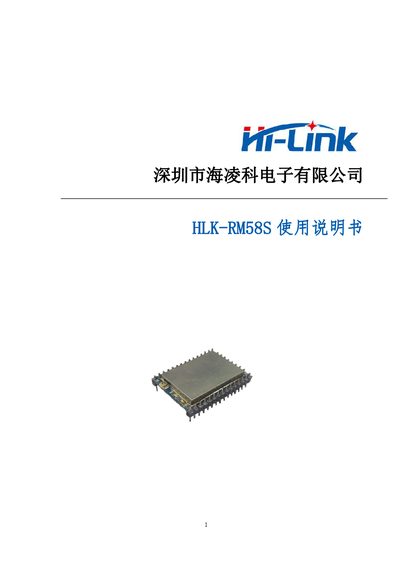
The HLK‑RM58S is a low‑cost embedded UART‑WiFi module that converts serial data to wireless network traffic. It supports IEEE 802.11a/b/g/n, dual‑band operation, STA/AP modes, and includes an AT‑command set for configuration and data transmission.
This user manual provides a product overview, technical specifications, pin descriptions, interface definitions, detailed AT‑command usage, example code, firmware upgrade procedures (both serial and network), factory reset instructions, and Bluetooth data‑transparent operation. This manual is written in Chinese.
| Wireless Standard | IEEE802.11a/b/g/n |
|---|---|
| Frequency Range | 2.412 GHz‑2.484 GHz, 5.180 GHz‑5.825 GHz |
| Transmit Power (802.11b) | +16 ± 2 dBm @ 11 Mbps |
| Receive Sensitivity (802.11b) | -88.4 dBm @ 11 Mbps CCK |
| Antenna Type | External patch pad (optional I‑PEX connector) |
| Working Voltage | 5 V |
| Working Current (continuous send) | ~100 mA average, 120 mA peak |
| Operating Temperature | -40 °C ~ 80 °C |
| Storage Temperature | < 40 °C, < 90 % RH |
| UART Throughput | 110 bps ~ 921600 bps |
Press and hold the ES0 key on the board for 6 seconds to reset the module to its factory defaults.
Run the HLK‑RM58S_wifi.exe tool, enter the module’s IP address, and start the upgrade; the program will show “Updatefinish!” when successful.
GPIO58 outputs a high level when the module is connected to a Wi‑Fi router; otherwise it stays low.