
User manual for the Funztech FZ4080 wireless I/O module, covering installation, configuration, and Modbus communication.
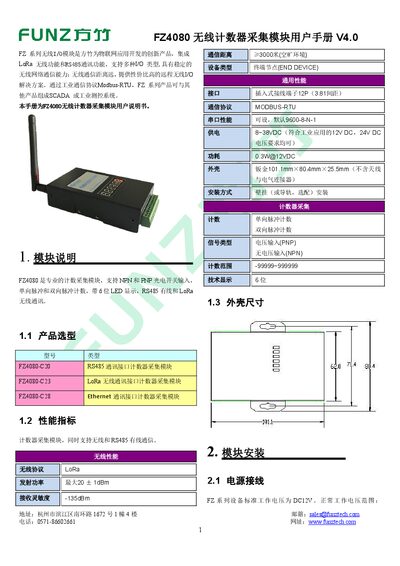
The FZ4080 is a wireless counter acquisition module that supports both LoRa and RS485 communication, NPN/PNP photo‑electric inputs, and a 6‑digit LED display. It can be powered from 8 V to 38 V DC and is designed for industrial IoT applications.
The manual provides detailed instructions for hardware installation, wiring diagrams, software configuration with the FZ_Utility tool, wireless network setup, and Modbus‑RTU commands for reading counters and status information. This manual is written in Chinese.
| Wireless protocol | LoRa |
|---|---|
| Transmit power | 20±1 dBm |
| Receive sensitivity | -135 dBm |
| Communication distance | ≥3000 m (open area) |
| Power supply | 8 ~ 38 VDC |
| Power consumption | 0.3 W @12 VDC |
| Interface terminals | 12‑pin (3.81 mm spacing) |
| Default serial settings | 9600‑8‑N‑1 |
The counter can be cleared by using the Q terminal, sending a remote Modbus command, or enabling the automatic clear mode in the configuration.
The module uses a default serial configuration of 9600‑8‑N‑1, which is not recommended to change unless required.
It supports RS485 communication using Modbus‑RTU and wireless communication via LoRa.
Use the free FZ_Utility software to set the network key and join the LoRa network, either automatically or manually via the CFG button.