
ENFORCER EV-Y2501-A2WWQ 4-in-1 HD turret camera OSD instruction manual: DIP switch formats, main menu, exposure, AWB, day/night and video settings.
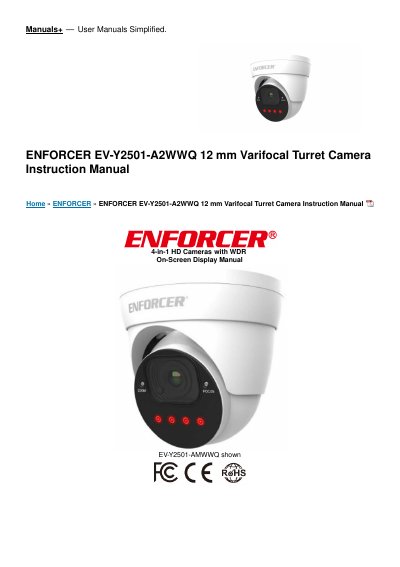
This is the instruction manual for the ENFORCER EV-Y2501-A2WWQ 12 mm varifocal turret camera, one of the 4-in-1 HD cameras with WDR. The manual explains the on-screen display (OSD) menu: programmable features, setting the video format with the OSD DIP switches, and the structure of the main menu. A model table lists the related models EV-Y2501-A2WWQ, EV-Y2501-AMWWQ, EV-Y1501-A2WWQ and EV-Y1501-AMWWQ with their lens, resolution, voltage, style and color.
Each menu section is described step by step, including Exposure (brightness, Global, BLC), Auto White Balance (Pro and Gray World red/blue gain), Day and Night (Ext, Color, B/W), Image Enhance (contrast, sharpness, saturation, 3DNR, 2DNR, flip, mirror), Video Setting for TVI, AHD, CVI and CVBS standards, Language, WDR, Privacy zones and Exit (Reset, Save & End, Exit). The document ends with the FCC compliance statement, warranty and notice text from SECO-LARM.
| Lens (EV-Y2501-A2WWQ) | 2.8 mm |
|---|---|
| Resolution | 5 MP |
| Voltage | 12 VDC |
| Style | Turret |
| Color | White |
| Output formats | AHD, CVI, TVI and CVBS |
| TVI standard options | 5MP 20FPS, 4MP 30FPS, 4MP 25FPS, 1080P 30FPS, 1080P 25 FPS |
| AHD standard options | 5MP 20FPS, 4MP 30/25FPS, 1080p 30/25FPS |
| CVBS standard options | NTSC, PAL |
| Default video format (DIP switches) | TVI (both DIP switches OFF) |
Set the format with the OSD DIP switch on the camera by moving the two DIP switches to the combination for TVI, AHD, CVBS or CVI. The selected format determines the settings shown on the OSD menu.
TVI is the default, with DIP switch 1 and DIP switch 2 both OFF.
The OSD menu offers ENG, CH1, CH2, ITA, RUS, POR, POL, JAP, KOR and FRE.
Reset restores all OSD settings to factory defaults and exits the OSD menu.
Up to 4 privacy zones (AREA 0~3) can be activated on the display.