
This user guide describes the hardware features, connectors, and handling precautions for the Embedded Artists COM Display Adapter, a reference design for…
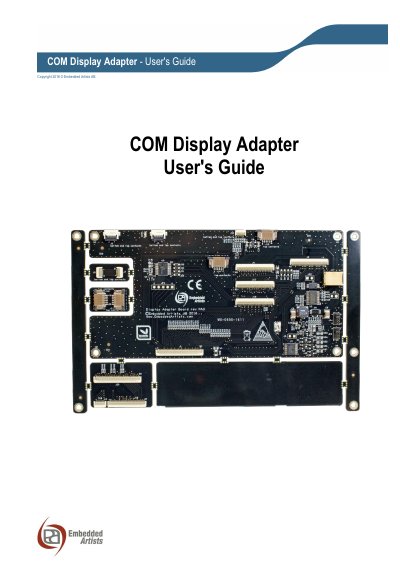
The COM Display Adapter is a reference design board that simplifies the process of adding a display with a parallel RGB interface to iMX Developer's Kits. It connects to the COM Carrier Board via a 50-pos generic display interface connector and provides specific connectors for various displays, including support for backlight drivers and resistive touch panel controllers.
The board is designed for flexibility, featuring two 50-pos connectors for the COM Carrier Board and break-off parts to reduce the board size to 145 x 73 mm for compact mounting. It includes an on-board resistive touch panel controller (AR1021) and a white LED backlight driver with adjustable current. The guide covers board overview, connector details, display interfaces, and specific considerations for different carrier board revisions.
| Touch Panel Controller | AR1021 from Microchip |
|---|---|
| Backlight Driver Type | White LED |
| Backlight Current Range | 20-160mA |
| Logic Voltage | +3.3V |
| Backlight Voltage | +5V |
| Full Board Dimensions | 165 x 104.3 mm |
| Reduced Board Dimensions | 145 x 73 mm |
It simplifies the process of adding a display with a parallel RGB interface to iMX Developer's Kits.
Only qualified personnel should handle the product, and users should touch the ground connector (TP1) before touching other parts to minimize ESD risk.
No, the warranty does not cover defects caused by improper or inadequate installation, maintenance, or handling by the user.