
User manual for a Bluetooth speaker with touch LED time display, hands-free calling, MP3 playback from U-disk or TF card and a rechargeable lithium battery.
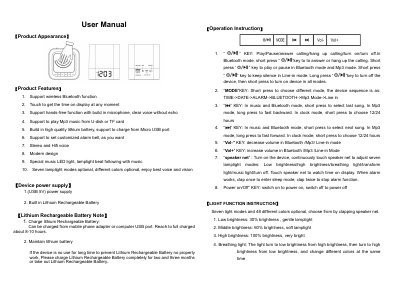
This user manual covers a Bluetooth speaker with a touch-sensitive speaker net and LED display, a built-in microphone for hands-free calls, MP3 playback from a U-disk or TF card, and a built-in lithium rechargeable battery charged through the Micro USB port. It describes the keys (play/pause and call key, MODE, previous/next, Vol- and Vol+), the power switch, and the mode sequence TIME → DATE → ALARM → BLUETOOTH → Mp3 Mode → Line in.
Instructions explain the seven light modes with 48 colors, setting the date, time, alarm and sleep timer, pairing with a Bluetooth device named DY28, playing MP3 files, and Line-in (AUX) use. A troubleshooting FAQ and a specification list (5W output power, up to 8–10 hours play time, 85dB SNR) close the manual, followed by an FCC statement.
| Output power | 5 W |
|---|---|
| Play time | Max 8–10 hours (according to volume level) |
| Charging source | Mobile phone adapter or computer USB port |
| Signal noise ratio (SNR) | 85 dB |
| Signal distortion | < 0.55% |
| MP3 bit rate | 8 Kbps – 320 Kbps |
| Music format | MP3 |
| Operation temperature | -5 to 40 °C |
The lithium rechargeable battery can be charged from a mobile phone adapter or a computer USB port, and a full charge takes about 8–10 hours.
Turn on Bluetooth on your digital device and connect it with the device named DY28; a voice note tells you when it succeeds.
Check whether the lithium rechargeable battery has power and whether the DC5V plug is plugged in properly.
With the device turned on, continuously touch the speaker net to adjust the seven lamp light modes.