
User guide for setting up and using the DENVER SHO-110 smart camera with the app, including Wi-Fi setup, account registration, and troubleshooting.
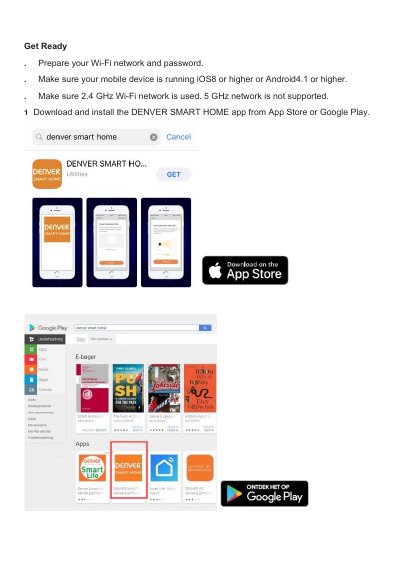
This manual guides users through installing the DENVER SMART HOME app, registering an account, connecting the camera to a 2.4 GHz Wi-Fi network, and adding the device via QR code or smart configuration. It also covers sharing the camera with others, wireless range limitations, and troubleshooting connectivity issues.
The document includes compliance information for EU regulations, disposal instructions for electronic waste, and technical specifications for the included AC/DC adapter and the camera’s operating frequency and output power.
| Operating Frequency Range | 2412MHZ~2472MHZ |
|---|---|
| Max Output Power | 6W |
| Input Voltage | 100-240V AC |
| Output Voltage | 12V±5% |
| Output Current | 1A |
| Output Power | 12W |
| Average Active Efficiency | 79% |
| Efficiency at Low Load (10%) | 75% |
Yes, you can share your camera to family and friends so that they can access the camera and control your electrical bulbs, power switch, and other devices.
The range of the wireless camera is heavily determined by your Wi-Fi router and the conditions of the room.
Make sure your Wi-Fi router is online and in range. Make sure you have the latest app available by tapping “Check for firmware update” in the device settings of the app.
Make sure your entered the correct Wi-Fi password during the Wi-Fi setup. Check whether there is any Internet connection problem. If the Wi-Fi signal is too weak, reset your Wi-Fi router and try again.