
Dell PowerEdge R740xd2 Getting Started Guide

A multilingual getting started guide for the Dell PowerEdge R740xd2 server, covering safety warnings, rack installation, and initial power-up steps.
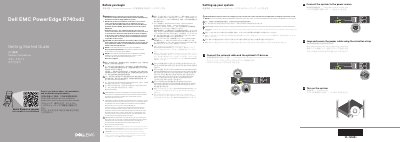

Dell PowerEdge R740xd2 Getting Started Guide - cover page
Brand
DELL
Category
Servers Computer
Document type
User Manual
Language
English
Pages
2
File format
PDF
File size
482 KB
Published
21 October, 2026
Updated
21 October, 2026
MD5 checksum
D0B37CEC162A026B7698866F771FEE99

About this manual

This document serves as a multilingual getting started guide for the Dell PowerEdge R740xd2 server. It provides essential safety instructions, including warnings about restricted access locations and the use of Extended Power Performance (EPP) compliant power supply units. The guide also directs users to additional documentation for detailed installation and service procedures.

What's inside

  • Safety Instructions
  • Equipment Location
  • Power Supply Units
  • Operating System Installation
  • Before You Begin
  • Setting up your system
  • Connect the network cable
  • Connect the system to the power source
  • Turn on the system

Frequently asked questions

Where should this server be located?

The product is intended for restricted access locations, such as a dedicated equipment room or equipment closet.

What type of power supply units must be used?

You must use Extended Power Performance (EPP) compliant power supply units indicated by the EPP label.

What is required before installing hardware or software not purchased with the system?

You must ensure that the operating system is installed first.

Download PDF (482 KB)

More DELL Manuals


View all DELL manuals →