
Dell P35G Quick Start Guide

Quick start guide for Dell P35G laptop with port and button layout, safety info, and support links.
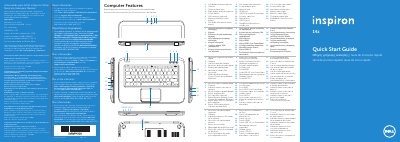

Dell P35G Quick Start Guide - cover page
Brand
DELL
Category
Laptops
Document type
Quick Start Guide
Language
Spanish
Pages
2
File format
PDF
File size
967 KB
Published
22 November, 2026
Updated
22 November, 2026
Model
P35G
MD5 checksum
0C5B50BDA75C1E6E51C21A7379266205

About this manual

This document provides a quick start guide for the Dell P35G laptop, detailing its ports, buttons, and status lights. It includes safety information and links to Dell’s support resources. The guide is multilingual, supporting Spanish, Greek, and Portuguese, and is intended for use in Mexico under NOM regulations. This manual is written in Spanish.

What's inside

  • Quick Start Guide
  • Computer Features
  • Port and Button Layout
  • Safety Information
  • Support Resources

Frequently asked questions

What computer model corresponds to regulatory model P35G?

Inspiron 5423.

What is the stated input voltage range?

de 100 a 240 VCA.

What is the stated maximum input current?

1,7 A/1,5 A.

What optional slot is listed among the computer features?

SIM-card slot (optional).

Download PDF (967 KB)

More DELL Manuals


View all DELL manuals →