
Dell P2418HZ monitor setup sheet for Skype for Business video, choosing the Integrated Webcam (2) input, and finding the Windows Hello guide.
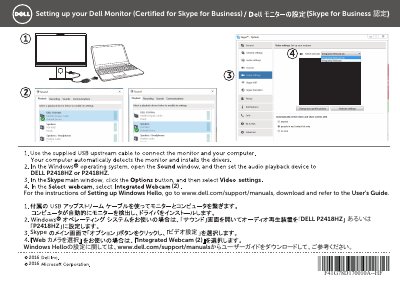
This two-page setup sheet from Dell explains how to set up the P2418HZ monitor, which is certified for Skype for Business. It shows which video input device to choose in Skype and points readers to the online user guide for Windows Hello setup.
The instructions are given in Japanese and Chinese on facing pages, with an English heading reading "Setting up your Dell Monitor (Certified for Skype for Business)". For Windows Hello configuration, the sheet directs users to www.dell.com/support/manuals to download the User's Guide. This manual is written in Japanese.
| Certification | Certified for Skype for Business |
|---|
In the video input device selection, choose "Integrated Webcam (2)".
Go to www.dell.com/support/manuals, download the User's Guide and refer to it.
Yes, the setup sheet describes the monitor as certified for Skype for Business.