
Quick start guide for Dell OptiPlex 7040 Small Form Factor desktop covering setup, connections, and Windows 10 configuration.
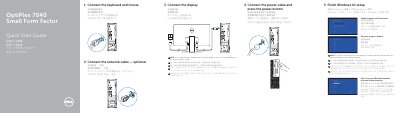
This guide provides step-by-step instructions for setting up the Dell OptiPlex 7040 Small Form Factor desktop, including connecting keyboard, mouse, network cable, power cable, and display. It also walks through completing Windows 10 setup, enabling support and protection, connecting to a network, and signing in with a Microsoft account or creating a local account.
The document includes a detailed diagram of front and rear panel features with numbered callouts for ports and connectors such as USB 2.0/3.0, HDMI, DisplayPort, VGA, audio jacks, PS/2, expansion slots, and security slots. It also lists regulatory information (model D11S), support URLs, and references to Dell apps for registration, support, and updates. This manual is written in Chinese.
| Front panel connectors | Optical-drive bay, USB 2.0 with PowerShare, Power button/Power light, Line-out, Hard-drive activity light, HDMI, Memory card reader (optional), DisplayPort, Headphone, Serial, USB 2.0, USB 3.0 (x2), PS2/Keyboard, USB 3.0 (x2), USB 2.0 (Smart Power On) |
|---|---|
| Rear panel connectors | Expansion-card slots, Power connector, Power-supply diagnostic button, Power-supply diagnostic light, Cable-cover lock slot, Release latch, DisplayPort, VGA (optional), PS2/Mouse, Network connector, Security-cable slot, Padlock ring |
Connect the display to the discrete graphics card instead of the integrated video port.
Use Dell Product Registration to register your computer.