
This Dell OptiPlex 3050 Micro Quick Start Guide explains how to connect peripherals, set up Windows or Ubuntu, locate Dell apps, and find product support.
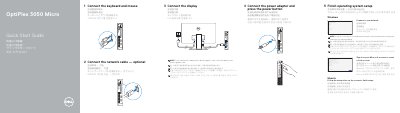
This Quick Start Guide for the Dell OptiPlex 3050 Micro desktop computer covers initial setup: connect the keyboard and mouse, connect the network cable if needed, connect the display, connect the power adapter, and press the power button. It also covers finishing Windows or Ubuntu operating system setup.
The guide lists the computer's features and ports, explains how to locate Dell apps such as SupportAssist, and provides product support, contact, and regulatory information. The regulatory model is D10U and the document was printed in China in 2016. This manual is written in Chinese.
| Rated voltage | 100 - 240 V |
|---|---|
| Rated frequency | 50 - 60 Hz |
| Rated input current | 4 A |
Connect the display to the discrete graphics card.
Enter the password for the wireless network access when prompted.
Visit Dell.com/support and Dell.com/support/manuals.