
Dell Inspiron 5420/5425/5520/5525/7420/7520 quick start guide covering computer features, connectors, function keys, and Windows 8 setup.
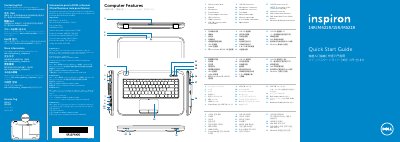
This quick start guide for the Dell Inspiron 5420/5425/5520/5525/7420/7520 describes the computer features and connector locations, with labels in several languages. It also includes NOM information for Mexico and Dell contact information.
The guide walks through connecting an optional network cable and the power adapter, pressing the power button, completing Windows setup, enabling security, and configuring an optional wireless connection. It explains Windows 8 getting started, the Charms sidebar, tiles, the Dell Support Center, and function keys.
| Input voltage | 100 VAC–240 VAC |
|---|---|
| Maximum input current | 1.70 A |
| Input frequency | 50 Hz–60 Hz |
| Output current | 3.34 A/4.62 A |
| Output voltage | 19.5 VDC |
| Regulatory model | P33G/P25F |
Go to dell.com/ContactDell.
See dell.com/regulatory_compliance.
The regulatory model is P33G/P25F.
Complete Windows setup.