
Dell quick start guide for the Inspiron 24 3000 Series computer, covering stand setup, keyboard and mouse, power, Windows setup, network, recovery media…
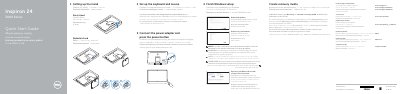
The Dell Inspiron 24 3000 Series Quick Start Guide shows how to set up the computer. It covers the easel or pedestal stand, keyboard and mouse setup, connecting the power adapter, and pressing the power button. It then describes finishing Windows setup, enabling Dell updates, connecting to a network, and signing in with a Microsoft account or creating a local account.
The guide also explains creating recovery media, using SupportAssist, registering the computer, and locating Dell apps. It lists product support and regulatory links, identifies the computer model as Inspiron 24-3459 and the regulatory models W12C and W12C003, and shows features such as USB ports, HDMI-in, audio-out, media-card reader, camera, and optional optical drive. The text appears in Greek, Portuguese, Russian, and Hebrew alongside English headings.
| Computer model | Inspiron 24-3459 |
|---|---|
| USB 3.0 ports | 2 |
| USB 2.0 ports | 2 |
| HDMI-in port | 1 |
| Optical drive | Optional |
The guide shows an easel stand and a pedestal stand.
Enter the password for the wireless network when prompted.
In Windows search, type Recovery, click Create a recovery media, and follow the instructions on the screen.
Dell product support is at Dell.com/support, and manuals are at Dell.com/support/manuals.