
Quick setup guide for Dell Inspiron 2350 laptop with instructions for connecting peripherals and configuring Windows.
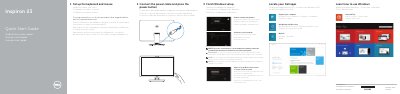
This guide helps you set up your Dell Inspiron 2350 laptop. It includes steps to connect peripherals like keyboard and mouse, configure Windows, and connect to a network. The guide also covers basic system setup, including account creation and security settings.
The document is multilingual, providing instructions in French, Spanish, and English. It includes hardware details such as ports, camera, and power specifications, as well as regulatory information for Mexico. This manual is written in French.
| Model | Inspiron 2350 |
|---|---|
| Regulatory Model | W07C |
| Voltage Input | 100 V AC–240 V AC |
| Frequency | 50 Hz–60 Hz |
| Input Current | 2,00 A/2,34 A/2,50 A |
| Output Voltage | 19,50 V DC |
| Output Current | 7,70 A/9,93 A |
| Country of Origin | Made in China |
Connect the power cable and press the power button.
Enter the password for the wireless network access when prompted.
Sign in to your Microsoft account or create a local account.
The regulatory model is W07C.