
Dell DL2300 Backup to Disk Appliance Installation Guide

This Dell guide covers DL2300 Backup to Disk Appliance hardware setup, MD storage enclosure connection, and software configuration wizard.
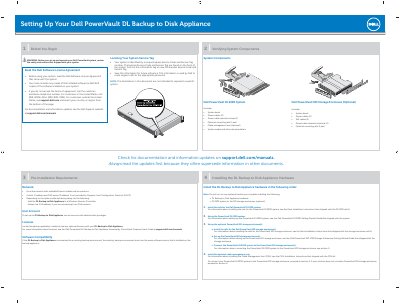

Dell DL2300 Backup to Disk Appliance Installation Guide - cover page
Brand
DELL
Category
Storage
Document type
Installation Guide
Language
English
Pages
2
File format
PDF
File size
770 KB
Published
11 November, 2026
Updated
11 November, 2026
MD5 checksum
1A08386D2D0AF450522F7B530728EB54

About this manual

This Dell document describes how to set up the PowerVault DL2300 Backup to Disk Appliance, including hardware installation order, rail installation, and optional PowerVault MD storage enclosure setup.

It also explains how to connect the DL2300 system to MD storage enclosures using SAS cables, the correct power-on sequence, and how to complete the software configuration wizard.

What's inside

  • Setting Up Your Dell PowerVault DL Backup to Disk Appliance
  • Locating Your System Service Tag
  • System Components
  • Verifying System Components
  • Pre-installation Requirements
  • Installing the DL Backup to Disk Appliance Hardware
  • Connecting the PowerVault DL2300 System to the PowerVault MD Storage Enclosures (Optional)
  • Configuring the PowerVault DL2300 Software
  • Launching the DL Backup to Disk Appliance Console
  • Additional Information

Specifications

Maximum MD storage enclosures single path8
Maximum MD storage enclosures dual path4
Power cables included with DL2300 system2
SAS cables included with MD enclosure2

Frequently asked questions

How many MD storage enclosures can be connected in a single path cabling configuration?

A maximum of eight MD storage enclosures can be connected in a single path cabling configuration.

What is the correct power-on order for the DL2300 system and MD storage enclosure(s)?

Turn on the MD storage enclosure(s) first, then the DL2300 system and monitor.

Where are the Express Service Code and Service Tag located on the system?

They are found on the front of the system by pulling out the information tag.

Download PDF (770 KB)

More DELL Manuals


View all DELL manuals →