
Two-page Dell Chromebook 5190 2-in-1 quick start guide covering power-on steps, modes, hardware features, and support links.
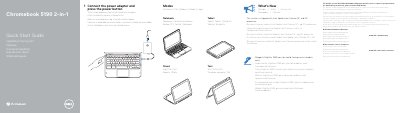
Two-page quick start guide for the Dell Chromebook 5190 2-in-1. It shows how to connect the power adapter and press the power button, and lists what is new, including the Intel Apollo Lake Celeron DC and QC processor, Notebook/Tablet/Tent/Stand modes, and Digitizer EMR pen support on world-facing camera models only.
The guide also identifies hardware features such as the camera, USB Type-C and USB 3.1 Gen 1 ports, microSD card reader, audio port, battery status light, power button, and service tag label. It provides Dell support, warranty, service contract, contact, and regulatory links, and lists regulatory model P28T, regulatory type P28T002, and computer model Chromebook 5190 2-in-1.
| Processor | Intel Apollo Lake Celeron DC and QC processor |
|---|---|
| USB Type-C | Power Delivery/DisplayPort |
| USB 3.1 Gen 1 port | USB 3.1 Gen 1 port |
| Card reader | microSD card reader |
| Audio port | Universal audio port |
| Security lock slot | Noble Wedge lock slot |
| Computer model | Chromebook 5190 2-in-1 |
Connect the power adapter and press the power button.
The system ships with an Intel Apollo Lake Celeron DC and QC processor.
It supports a Digitizer EMR pen, but only on world-facing camera models.
The computer model is Chromebook 5190 2-in-1.