
Manual for Data/Link's 70025 continuity tester for UTP and flat satin cables with RJ45 terminations.
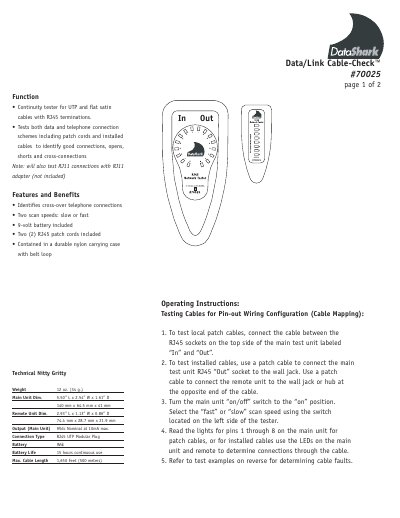
This manual explains how to use the Data/Link 70025 continuity tester to check UTP and flat satin cables with RJ45 terminations. It tests both data and telephone connections, identifying good connections, opens, shorts, and cross-connections. The device includes two RJ45 patch cords, a 9-volt battery, and a durable nylon carrying case. Testing involves connecting cables to the 'In' and 'Out' ports and reading LED indicators for pin configurations and faults.
The manual includes sample test results for various cable faults, such as reversed conductors, shorts, opens, and transposed pairs. It also provides diagrams for patch cable and installed cable testing, showing how to interpret LED patterns on the main unit and remote unit.
| Weight | 12 oz. (34 g.) |
|---|---|
| Main Unit Dimensions | 5.50” L x 2.54” W x 1.61” D |
| Remote Unit Dimensions | 2.93” L x 1.13” W x 0.86” D |
| Battery | 9Vdc |
| Battery Life | 15 hours continuous use |
| Max. Cable Length | 1,650 Feet (500 meters) |
It tests UTP and flat satin cables with RJ45 terminations for continuity, identifying good connections, opens, shorts, and cross-connections.
It includes two scan speeds, a 9-volt battery, two RJ45 patch cords, and a durable nylon carrying case with a belt loop.
Use a patch cable to connect the main unit’s 'Out' socket to the wall jack, and connect the remote unit to the opposite end. Turn the unit on and select scan speed.