
This guide provides instructions for operating Daikin home air conditioners, including wireless connection setup, safety precautions, and troubleshooting.
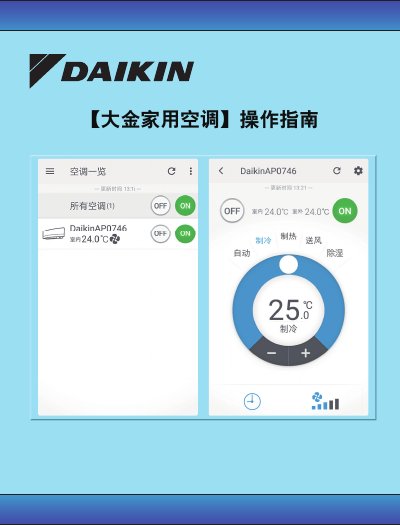
This operation guide is designed to help users correctly use and configure Daikin home air conditioning equipment. It covers essential usage instructions, safety precautions, and specific steps for setting up wireless connectivity via a smartphone application.
The document details the requirements for connecting the air conditioner to a Wi-Fi network, including necessary equipment like a compatible smartphone and router. It provides step-by-step instructions for putting the remote control and indoor unit into pairing mode and connecting to the DaikinAP network. Additionally, the guide includes important safety warnings regarding wireless usage and compatibility with mobile operating systems. This manual is written in Chinese.
| Minimum Android OS Version | Android 4.4 or higher |
|---|---|
| Minimum iOS Version | iOS 8.0 or higher |
| Default Wi-Fi Password | 12345678 |
| Network Name Pattern | DaikinAPXXXXX |
The smartphone must run Android 4.4 or higher, or Apple iOS 8.0 or higher.
Turn off the remote, hold the 'Fan Speed' button for more than 5 seconds until '5P' appears, then use the 'Temp Up/Down' buttons to select '3'.
The default password for the DaikinAP network is 12345678.