
User manual for the COWON CF2 Bluetooth 5.0 true wireless earbuds, covering charging, pairing, call modes, operation controls, and technical specifications.
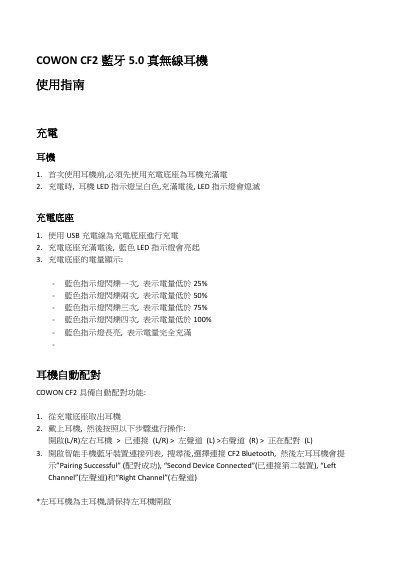
This manual provides instructions for the COWON CF2 Bluetooth 5.0 true wireless earbuds. It details the charging process for both the earbuds and the charging base, including LED indicator meanings for battery status. The guide explains the automatic pairing procedure and how to manually pair the device with a smartphone. This manual is written in Chinese.
| Driver Unit | 6mm, Dynamic Canal Type |
|---|---|
| Bluetooth Version | 5.0 |
| Bluetooth Profiles | HSP, HFP, A2DP, AVRCP |
| Standby Time | Up to 150 hours |
| Music Playback Time (Single Ear) | Approx. 3.5 hours |
| Music Playback Time (Dual Ear) | Approx. 3 hours |
| Charging Time (Earbuds) | Approx. 1 hour |
| Operating Range | Up to 10 meters |
| Weight (Earbuds) | 4 grams x 2 |
Before first use, you must fully charge the earbuds using the charging base. When charging, the LED indicator is white, and it turns off when fully charged.
The blue LED on the base flashes once for below 25%, twice for below 50%, three times for below 75%, four times for below 100%, and stays on solid when fully charged.
Hold the right earbud power button until you hear 'Power Off', then continue holding it for 6 seconds until you hear 'Pairing'.
If the earbuds fail to pair with the smartphone within 10 minutes, they will automatically turn off.