
The CMI 233 quick start guide shows how to calibrate the 16‑key magnetic/eddy‑current thickness gauge in single‑point and two‑point modes.
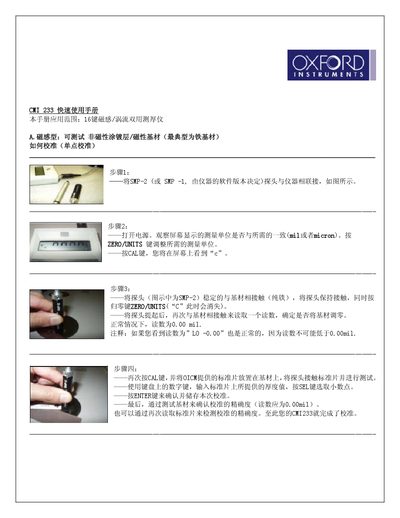
This guide covers the CMI 233 16‑key magnetic/eddy‑current thickness gauge. It explains the scope of the instrument, the two measurement modes (magnetic and eddy‑current), and the units (mil or micron) that can be selected.
Detailed calibration procedures are provided for both single‑point and two‑point methods, including probe connection, zeroing, entering standard thickness values, and verifying accuracy. A short troubleshooting section addresses common issues such as abnormal readings and how to reset the device to factory mode. This manual is written in Chinese.
| Supported measurement units | mil or micron |
|---|---|
| Compatible probes | SMP‑2, SMP‑1, ECP |
Connect the SMP‑2 (or SMP‑1) probe, turn on power, set the desired unit, press CAL, place the probe on the standard plate, enter the thickness value, and store the calibration.
It is normal; the reading cannot be lower than 0.00 mil.
Turn on the instrument and press *9191; the device will reset to factory settings and shut down automatically.