
This manual provides installation, setup, operation, maintenance, and troubleshooting instructions for the CLEAN TBW5500/TBL5500 wide/low-range turbidity…
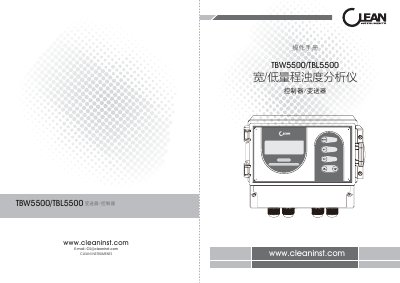
The CLEAN TBW5500/TBL5500 is an online monitoring instrument designed to measure water turbidity in municipal sewage and industrial wastewater treatment processes. It utilizes innovative multi-beam mutual compensation technology to eliminate measurement errors caused by sensor window fouling, thereby improving accuracy and reducing maintenance workload.
The device features a full-intelligent design with multiple parameters displayed simultaneously, including turbidity values, output current, time, and status. It supports dual-channel signal input and various outputs such as dual 4-20mA transmitters, relay high/low alarm control, and RS485 communication. The instrument is widely applied in water treatment plants, power generation facilities, sewage treatment stations, pharmaceutical factories, and hospitals. This manual is written in Chinese.
| Measurement Range (Low Turbidity) | 0~0.5-500NTU |
|---|---|
| Measurement Range (High Turbidity) | 0~5-5000NTU |
| Display Resolution (Low Turbidity) | 0.01NTU |
| Display Resolution (High Turbidity) | 0.1NTU |
| Accuracy | ±1.0%FS |
| Repeatability | ±1.0%FS |
| Operating Temperature (Transmitter) | 10~40℃ |
| Power Supply | AC220V±10% |
Check if the power is connected and verify that the sensor's power cable is not reversed.
It indicates abnormal communication between the transmitter and the sensor, which may be due to incorrect signal wiring.
A T-type network connection is recommended, using shielded twisted pair cables with a copper mesh and wire diameter not less than 0.5mm².