
The CG Series Counter manual provides specifications, wiring diagrams, operation steps, and output configuration for industrial use.
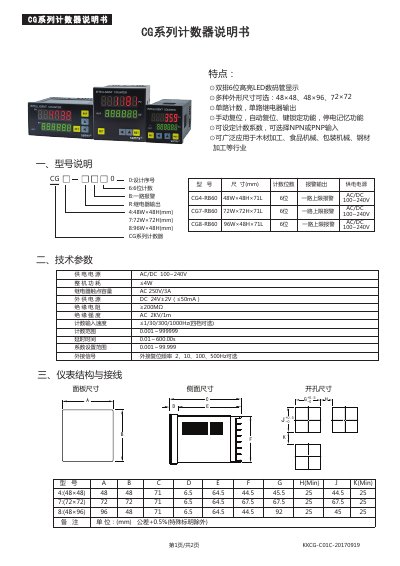
This manual describes the CG series counter, highlighting its 6‑digit high‑brightness LED display, selectable input types (NPN/PNP), and various mounting sizes. It outlines key features such as single‑relay output, manual and automatic reset, key lock levels, and power‑saving memory.
The document is organized into sections covering model description, technical parameters, instrument structure and wiring, operation procedure, and the relay output logic diagram. It includes wiring diagrams for the CG‑4, CG‑7, and CG‑8 models and explains how to configure counting coefficients, reset frequencies, and output modes. This manual is written in Chinese.
| Display | Dual‑row 6‑digit high‑brightness LED |
|---|---|
| Power Supply | AC/DC 100‑240 V |
| Output Type | Single relay output |
| Counting Digits | 6 digits |
| External Reset Frequency | 2, 10, 100, 500 Hz (selectable) |
| Counting Range | 0.001 to 999 999 |
In the menu choose NPN or PNP, then short the corresponding pins on the circuit board (default is NPN).
The relay output can be configured to four modes: N, F, R, and C.
When the count reaches the preset value, the display holds, the relay stays energized for the set time, then the counter automatically resets for the next cycle.