
Step‑by‑step guide to replace a Car Vision 9200 Series system with a new CVD/CVC series using the existing cable.
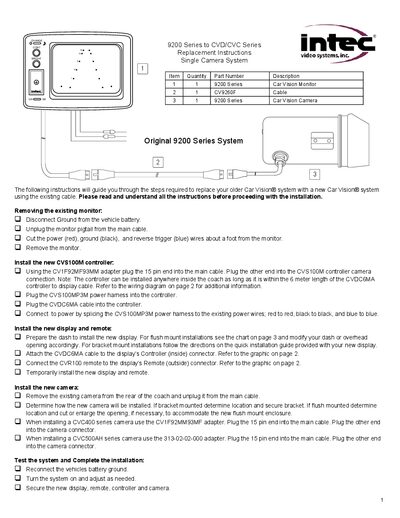
The document walks you through removing the original Car Vision monitor, disconnecting power and trigger wires, and taking out the old camera. It then details installing the new CVS100M controller, connecting power harnesses, and attaching the controller cable.
Next, it covers mounting the new display and remote, wiring the CVDC6MA cable, installing the appropriate camera (CVC400 or CVC500AH) with the correct adapter, and finally testing the system before securing all components.
| Power voltage (Red and Blue wires) | +11 to +32 VDC |
|---|---|
| Monitor dimensions (9200) | 7 11/16" wide x 5 5/16" high |
Splice the CVS100MP3M power harness to the existing power wires: red to red, black to black, and blue to blue.
The controller can be installed anywhere inside the coach as long as it is within the 6 meter length of the CVDC6MA cable.