
Canon CA-570 camcorder user manual covering setup, recording, playback, photos, accessories, and external device connections.
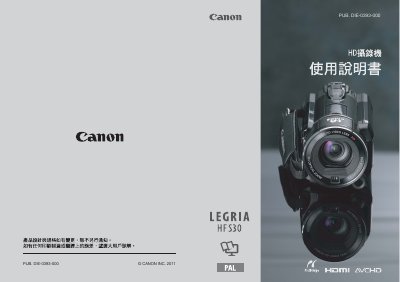
This user manual describes the Canon CA-570 camcorder, including important safety notices, trademark statements, and an introduction to its features and functions. It covers preparation, basic operation, video and photo recording, playback, editing, and connecting the camcorder to external devices.
The manual also includes specifications, troubleshooting, maintenance, and an index. The camcorder records Full HD video to built-in memory or memory cards and supports dual-slot relay recording, Smart AUTO, image stabilization, face detection, and Video Snapshot features. This manual is written in Chinese.
| Video resolution | 1,920×1,080 pixels |
|---|---|
| Recording format | AVCHD, MPEG-4 AVC/H.264 video with Dolby Digital audio |
| Recording media | Built-in memory or available memory cards |
| Dual memory card slots | Supports uninterrupted relay recording |
| Image stabilization | Dynamic Image Stabilizer (IS) and Powered IS |
| Face detection | Automatically detects faces and adjusts focus and other settings |
| Publication number | PUB. DIE-0393-000 |
The Full HD CMOS sensor captures video at 1,920×1,080 pixels. In recording modes other than MXP or FXP, images are recorded at 1,440×1,080 pixels.
Yes. The dual memory card slots allow uninterrupted relay recording when the memory space is insufficient.
Smart AUTO automatically selects the best scene mode for the scene being shot, without requiring any settings.
The camcorder can be connected to an HD TV, and recorded video can be stored or uploaded to a network. High-definition video can also be converted to standard definition files inside the camcorder.