
User's guide for the Cambridge Aero Instruments L-NAV glide computer, covering operation, GPS navigation, configuration, calibration, installation, and…
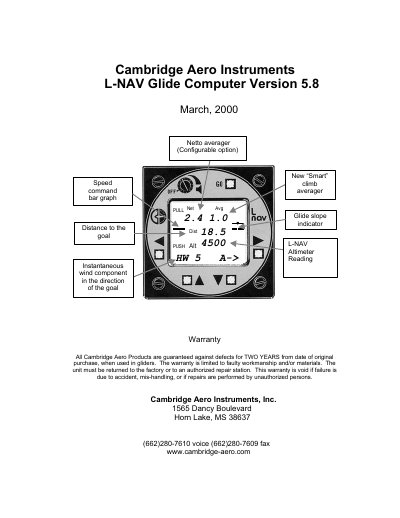
The Cambridge Aero Instruments L-NAV Glide Computer Version 5.8 User's Guide covers installation and operation of the L-NAV glide computer. It describes basic operation without GPS, operation with Cambridge GPS-NAV, configuration, calibration, installation, maintenance, and specifications.
The L-NAV uses sensors for altitude, rate-of-climb, airspeed, and optional vertical acceleration. It is configured with the glider polar and uses a MacCready setting to calculate optimum speed-to-fly and altitude required to reach a goal.
| Power supply | 12-volt battery |
|---|---|
| GPS interface | NMEA-0183 output |
All Cambridge Aero Products are guaranteed against defects for two years from date of original purchase when used in gliders.
Hold down the GO key and the LEFT or RIGHT key.
Hold the GO key down for more than 4 seconds.
The L-NAV is compatible with any GPS receiver having an NMEA-0183 output and is optimized for use with the Cambridge GPS-NAV.