
User guide for Cabasse SWELL A/B portable Bluetooth speakers covering Bluetooth, NFC, stereo and party modes, LED indicators, and device controls.
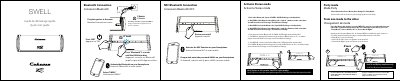
This manual explains how to connect and operate the Cabasse SWELL A and SWELL B portable Bluetooth speakers. It covers Bluetooth and NFC pairing, switching between stereo and party modes, and interpreting LED status indicators. The guide also includes instructions for charging and using the auxiliary input.
The speakers are designed for true wireless stereo pairing, with each unit acting as a left or right channel. Users can switch modes using the Bluetooth button, and the manual includes voice prompts for mode changes and connection status. This manual is written in Chinese.
| Battery Charge Time | 3 hours |
|---|---|
| First Charge Requirement | Fully charged |
| Bluetooth Pairing Mode | True Wireless Pairing |
| LED Indicator for Connection | Blue blinking or white steady |
Press the Bluetooth and V- buttons on SWELL A simultaneously for 2 seconds to activate pairing. Repeat the same steps on SWELL B using the Bluetooth and V+ buttons. You’ll hear a "True Wireless Pairing" message.
Press the Bluetooth button on each speaker for about 4 seconds. Repeat until you hear the voice message for the desired mode: "Party Mode", "Stereo Mode Left", or "Stereo Mode Right".
During charging, the LED will show battery status: 90-100% for full, 20-90% for medium, and <20% for low battery. After 5 seconds, LEDs turn off to save power except for the active input indicator.