
User manual for the BTD-0140 Bluetooth adapter kit, covering power on/off, pairing, PTT operation and LED status.
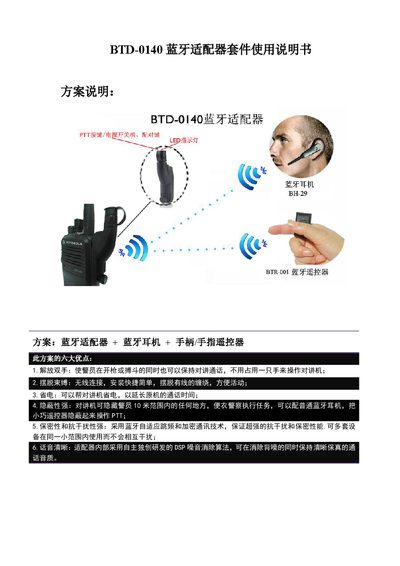
The BTD-0140 Bluetooth adapter kit combines a Bluetooth dongle, earpiece and remote controller to provide hands‑free, secure communication for police and covert operations. The kit offers six advantages such as power saving, concealment, strong anti‑interference and crystal‑clear voice.
The manual explains how to power on each component, pair the dongle with the earpiece or remote controller, use the PTT function, and interpret the LED indicators for status, low battery and charging. This manual is written in Chinese.
| Power‑on button press duration | 3 seconds |
|---|---|
| Automatic power‑off after inactivity | 5 minutes |
| Low‑battery LED alert | Red flashes twice per minute |
Make sure the two‑way radio is on, then long‑press the dongle’s power button for about 3 seconds until the blue LED flashes.
First power on the remote controller, then the earpiece, and finally the Bluetooth dongle.
The dongle’s red LED will flash twice per minute to alert a low‑battery condition.