
Installation guide for Brother Cutter Module PA-CU-005 on TJ-4420TN/4520TN/4620TN label printers.
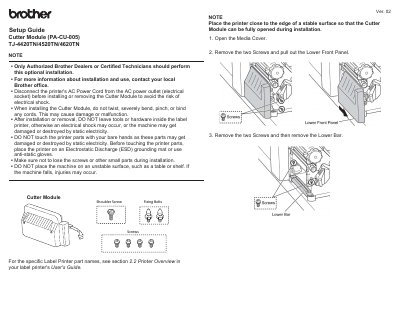
This guide explains how to safely install the Brother Cutter Module PA-CU-005 on compatible label printers. It includes steps for disconnecting power, removing panels, connecting the cable, and securing the module with bolts and screws. Safety precautions are emphasized, including ESD protection and avoiding damage to cords or components.
After installation, users are instructed to load print media and refer to the printer’s User’s Guide for further setup details.
It is an optional installation for label printers to enable cutter functionality.
Disconnect the printer's AC Power Cord from the AC power outlet.
0.74 N • m ± 0.10 N • m.
TJ-4420TN/4520TN/4620TN.