
This guide provides installation steps, setup instructions, and safety warnings for the Brother HL-3070CW printer, including component checks, toner…
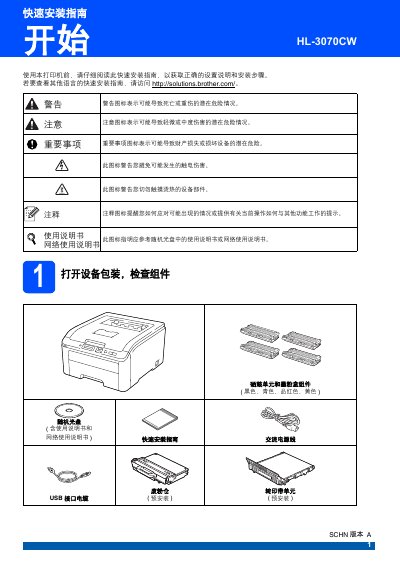
This Quick Installation Guide covers the essential steps to set up the Brother HL-3070CW printer. It details how to unpack the device, install the toner cartridge unit and imaging unit, load paper, and print a test page to verify functionality. Safety warnings regarding electrical hazards and heavy lifting are also included. This manual is written in Chinese.
At least two people must carry the printer because it weighs approximately 41.9 pounds (19.0 kilograms).
The USB 2.0 interface cable used must not exceed 2 meters in length.
You must use a straight-through Category 5 or higher twisted pair cable for 10BASE-T or 100BASE-TX fast Ethernet.