
Bosch IntuiKey 1.93 Keyboard User Manual

This manual provides operating instructions for the Bosch IntuiKey 1.93 keyboard, covering navigation, device control, and programming for Allegiant…
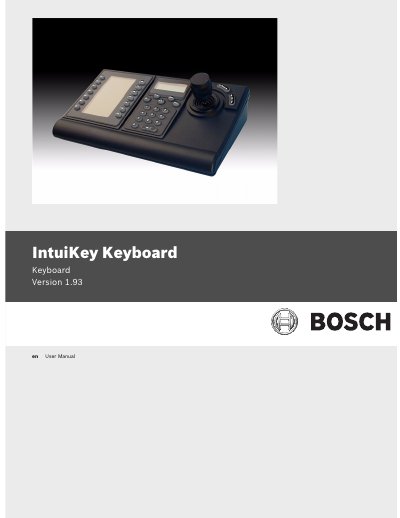

Bosch IntuiKey 1.93 Keyboard User Manual - cover page
Brand
Bosch
Category
Other Electronics
Document type
User Manual
Language
English
Pages
50
File format
PDF
File size
1.4 MB
Published
16 November, 2026
Updated
16 November, 2026
Model
1.93
MD5 checksum
5A92EEA2E8245E82E827E4062A12D472

About this manual

The Bosch IntuiKey 1.93 is a versatile keyboard designed for controlling security system devices. The manual details the operation of its components, including the status display, numeric keypad, softkeys, and joystick. It explains how to navigate menus and select devices such as video switchers, digital video recorders, and multiplexers.

What's inside

  • Introduction to the IntuiKey Keyboard Series
  • Operating the IntuiKey Keyboard
  • The Status Display
  • The Keypad
  • The Softkeys and the Softkey Display
  • The Joystick
  • Navigating the System with the IntuiKey Keyboard
  • Controlling Allegiant Series Video Switchers
  • Controlling Divar Series Digital Video Recorders
  • Controlling System4 Video Multiplexers

Frequently asked questions

What does the PROD key display?

PROD displays the keyboard’s Product Selection menu.

How many devices can appear on one Product Selection screen for Divar Series 1 or 2?

Up to 12 devices can be shown on a single screen.

What must be done to recalibrate the joystick after a power interruption?

Release the joystick and power off/on the keyboard to recalibrate the joystick position.

How long must the SHOT button be held to enter SET mode?

Hold the SHOT button down for 2 seconds.

Download PDF (1.4 MB)

More Bosch Manuals


View all Bosch manuals →