
BlackBerry Bold 9700 Software Installation Guide

This guide provides step-by-step instructions for verifying the device version, installing BlackBerry Desktop Manager, and upgrading the firmware on the…
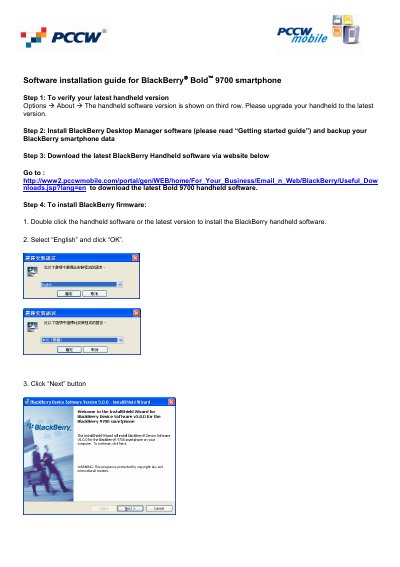

BlackBerry Bold 9700 Software Installation Guide - cover page
Brand
BlackBerry
Category
Smartphones
Document type
User Manual
Language
English
Pages
8
File format
PDF
File size
1.3 MB
Published
23 November, 2026
Updated
23 November, 2026
Model
9700
MD5 checksum
0CD6B82177AAD7D06B9D347126DFE420

About this manual

This document serves as a software installation guide for the BlackBerry Bold 9700 smartphone. It outlines the necessary steps to ensure the device is running the latest software version before proceeding with the upgrade. Users are instructed to verify the handheld version via the 'About' menu and to install the BlackBerry Desktop Manager software on their computer prior to beginning the firmware update process.

What's inside

  • Verify handheld version
  • Install BlackBerry Desktop Manager
  • Download latest firmware
  • Install firmware
  • Connect handheld to computer
  • Select language and modules
  • Complete upgrade

Frequently asked questions

How do I verify the current software version on my device?

Navigate to Options, then About, where the handheld software version is shown on the third row.

What language options are available during the firmware installation?

The installation process allows you to select English or Hong Kong as the language.

What cable is required to connect the handheld to the computer after installation?

You must use an USB cable to connect the BlackBerry handheld with your computer.

Download PDF (1.3 MB)

More BlackBerry Manuals


View all BlackBerry manuals →