
A guide for first-time users of the Bank of China Corporate Online Banking i-Key, covering login steps, Java installation, and password changes.
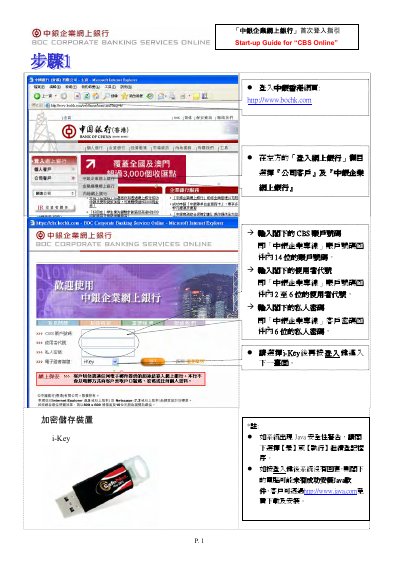
This document serves as a start-up guide for the Bank of China Corporate Online Banking i-Key encryption storage device. It provides step-by-step instructions for the initial login process, including entering the account number, user code, and private password. It also details how to handle Java security warnings and set up the electronic certificate password. This manual is written in Chinese.
Select [Yes] or [Execute] to continue the registration process.
You can download and install it for free via http://www.java.com.
You must change it within the SafeNet CIP Utilities program.