
This document describes the functions, connections, and usage instructions for the Bai Bian Jing Ling electronic modules.
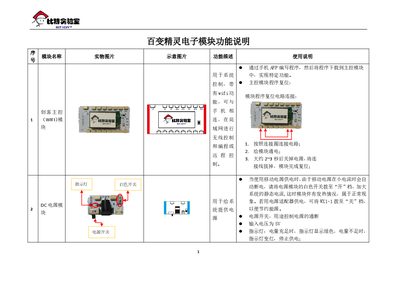
The guide provides a detailed overview of each electronic module in the Bai Bian Jing Ling system, including the Wi‑Fi main control board, power supply, various sensors, actuators, and auxiliary components. For each module it lists a photo, schematic, functional description, and how to use it in a program.
Programming is performed via a mobile app that downloads code to the main control module. The document also explains wiring, voltage requirements, I²C addresses, sensor ranges, and special considerations such as interference when controlling servos. This manual is written in Chinese.
| Power module input voltage | 5 V |
|---|---|
| Power indicator LEDs | Green when power sufficient, red when low |
| Humidity sensor range | 0 % – 99 % |
| Digital light intensity range | 1 lux – 32767 lux |
| RFID sensor I²C address | 15 |
Connect the reset circuit as shown, power the module, wait about 2–3 seconds, turn off the power and disconnect the wires; the module will be reset.
The sensor can detect obstacles from 5 cm up to 40 cm.
The recorded audio can be up to 8 seconds long.
When the switch is on, the module outputs a high level (1); when off, it outputs low (0).