
User manual for the ASRock Rack AM5D4ID-2T-BCM server workstation motherboard, covering installation, UEFI setup, software support, and troubleshooting.
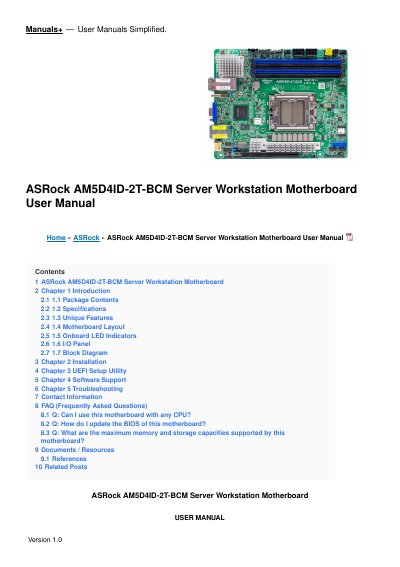
This user manual covers the ASRock Rack AM5D4ID-2T-BCM server workstation motherboard, a deep mini-ITX board that supports AMD Raphael processors on Socket AM5. It includes package contents, specifications, motherboard layout, LED indicators, I/O panel, and block diagram details.
The guide provides step-by-step hardware installation instructions, AMI UEFI BIOS setup information, software support details, and troubleshooting steps. It also lists contact information and answers frequently asked questions about CPU compatibility, BIOS updates, and memory capacity.
| Form Factor | Deep mini-ITX |
|---|---|
| Dimension | 6.7″ x 8.2″ (170 mm x 208mm) |
| CPU | Supports AMD Raphael Processors |
| Socket | Socket AM5 (LGA1718) |
| Memory Slots | 4 DIMM slots (2DPC) |
| Memory Type | DDR5 288-pin ECC/non-ECC UDIMM |
| Max Memory Capacity | 48GB per DIMM |
| BIOS | AMI UEFI BIOS; 256Mb (32MB) SPI Flash ROM |
| Operating Temperature | 10 – 35°C (50 – 95 degF) |
Use ASRock Rack Instant Flash by pressing F6 during POST or F2 to enter BIOS setup, then save the new BIOS file to a USB flash drive, floppy disk, or hard drive.
It supports AMD Raphael processors with Socket AM5 (LGA1718).
The maximum capacity is 48GB per DIMM.
Supported operating systems include Windows 10 and Windows 11 (64-bit), and Ubuntu 22.04.2 (64-bit).