
The AOSONG AW5145W network temperature and humidity transmitter manual provides specifications, installation, configuration, alarm settings, and monitoring…
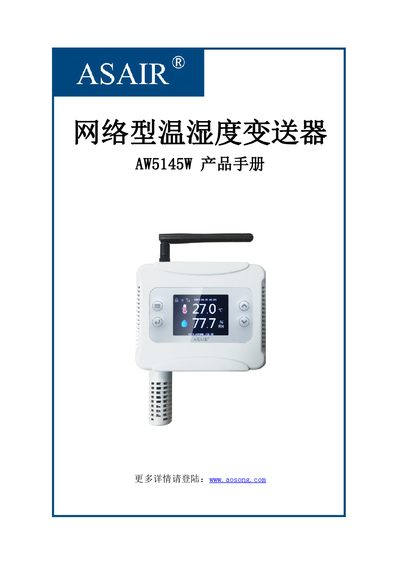
The AW5145W is a network‑enabled temperature and humidity transmitter designed for industrial factories, telecom base stations, data rooms, HVAC systems, smart buildings, museums, archives and offices. It features a high‑precision capacitive sensor, TFT color display, Wi‑Fi output, MODBUS TCP communication and supports up to 254 devices in a cascaded network.
This manual covers the device’s technical parameters, mechanical dimensions, panel layout, installation steps, menu navigation, network configuration (auto or manual IP), communication mode selection, alarm and parameter settings, system language and unit configuration, as well as the installation and use of the PC monitoring software. This manual is written in Chinese.
| Temperature measurement range | -20~60℃ |
|---|---|
| Temperature accuracy | ±0.5℃ |
| Humidity measurement range | 0~99.9%RH |
| Humidity accuracy | ±3%RH (25℃) |
| Sensitivity drift (temperature) | <0.1℃/year |
| Display resolution (temperature) | 0.1℃ |
| Sampling period | 2 s |
| Current consumption | ≤50 mA (24 V) |
| Supply voltage | 9~36 VDC / USB 5 V |
| Wireless output | 2.4 GHz Wi‑Fi (IEEE802.11n) |
| Communication protocol | MODBUS TCP |
| Storage capacity | 12 800 points (max) |
| Net weight | 125.79 g |
Unlock the screen, press MENU → Network Settings → Router Configuration, then choose either Auto IP to obtain an address automatically or Manual IP to set the IP, subnet mask and gateway manually.
Enter System Settings → Language Settings and select either Chinese or English.