
Quick start guide for Altman Lighting Pegasus 6 & 8 Fresnels covering power connections, DMX setup, dimming curves and programming.
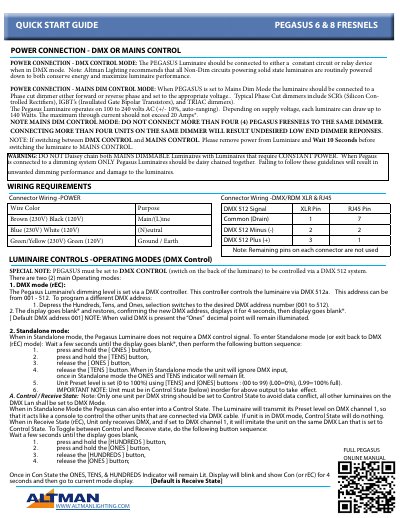
This guide provides essential setup instructions for the Pegasus 6 and 8 Fresnel luminaires. It explains how to connect the fixtures to either DMX or mains control, outlines the required power specifications, and warns against improper daisy‑chaining.
The document also details operating modes, DMX addressing, dimming‑curve selection, DMX termination, and how to lock or unlock the control buttons. All steps are presented with button‑press sequences and visual cues from the display.
| Voltage range | 100 to 240 V AC (+/-10%) |
|---|---|
| Maximum power draw | 140 W |
| Maximum through current | 20 A |
| DMX address range | 001‑512 |
No more than four units should be connected to a single dimmer; exceeding this can cause low‑end dimmer responses.
The Pegasus luminaire operates on 100 to 240 volts AC, with a tolerance of +/-10% auto‑ranging.
Press and hold the Hundreds, Tens and Ones buttons to the desired three‑digit address (001‑512); the display will confirm the new address.