
The ALIENTEK ATK-MiniFly micro quadcopter user manual provides setup, operation, safety, specs, and firmware upgrade instructions.
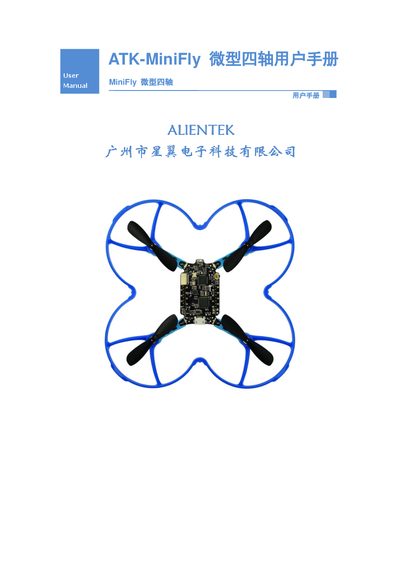
The ATK-MiniFly is an open‑source micro quadcopter from ALIENTEK. The manual covers product overview, safety precautions, packaging contents, and detailed technical specifications. It also explains the quadcopter’s flight modes, such as altitude‑hold, manual, 4‑D flips, and throw‑fly, and provides guidance for safe indoor and outdoor operation.
The remote controller section describes its hardware, LED indicators, and how to unlock, arm, and control the aircraft. Firmware can be upgraded via the USB interface, and developers can access secondary‑development resources. Warranty terms and contact information are listed at the end of the guide. This manual is written in Chinese.
| Quadcopter MCU | STM32F411CEU6 Cortex‑M4 100 MHz, 512 KB Flash, 128 KB SRAM |
|---|---|
| Auxiliary MCU | NRF51822 Cortex‑M0 16 MHz, 256 KB Flash, 16 KB SRAM |
| Battery | 3.7 V 250 mAh Li‑polymer |
| Charging Time | 30 minutes |
| Flight Time | ≈ 9 minutes (no load) |
| Dimensions | 130 mm × 130 mm (including guard ring) |
| Weight | 32 g (including battery and guard ring) |
| Maximum Payload | 15 g |
| Remote Controller MCU | STM32F103C8T6 Cortex‑M3 72 MHz, 64 KB Flash, 20 KB SRAM |
| Remote Communication | NRF24L01+ with PA and 3 dBi antenna, 100 m range |
Move the left throttle stick to the lower‑left position and the right stick to the lower‑right position (八字形状).
The quadcopter can fly for about 9 minutes when no load is attached.
In altitude‑hold mode with the quadcopter unlocked, press the KEY_J1 key (push the left throttle stick down).
Connect the USB cable to the quadcopter’s USB port and hold the power button for 3 seconds while powered off to enter USB firmware upgrade mode.