
User manual for the ACEFAST A44 PD65W GaN charger with two USB-C ports and one USB-A port, covering output ratings, safety warnings and charging steps.
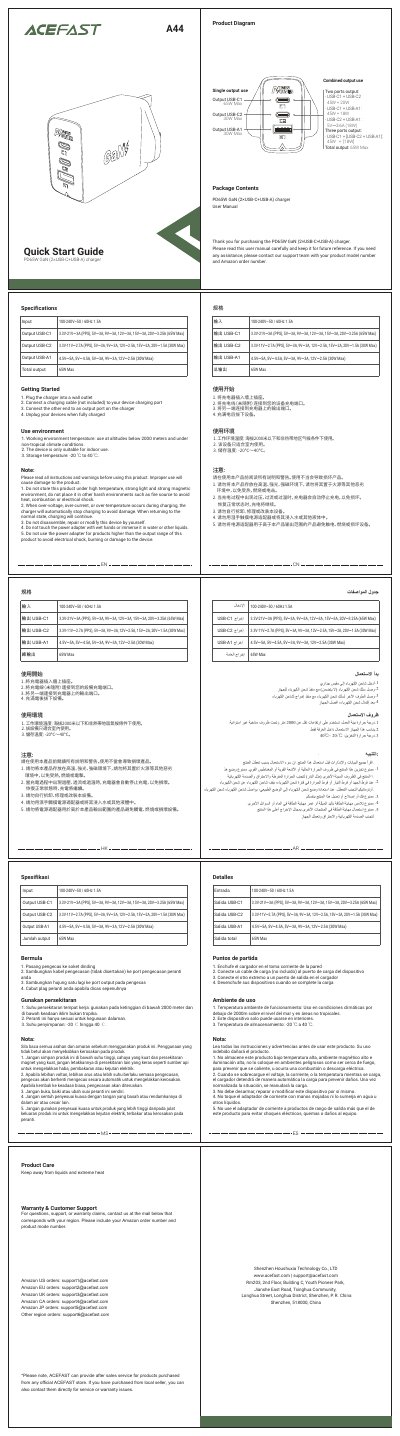
This is the user manual for the ACEFAST PD65W GaN (2×USB-C+USB-A) charger, model A44. It lists the input rating and the output ratings for the USB-C1, USB-C2 and USB-A1 ports, including the single-port and combined-port output modes and the 65W maximum total output.
The manual also gives safety instructions and use-environment notes, the four steps for charging a device, and sections for product care, warranty and customer support with regional ACEFAST email addresses.
| Input | 100-240V~ 50/60Hz 1.5A |
|---|---|
| Total output | 65W Max |
| USB-C1 output | 3.3V-21V⎓3A (PPS), 5V⎓3A, 9V⎓3A, 12V⎓3A, 15V⎓3A, 20V⎓3.25A (65W Max) |
| USB-C2 output | 3.3V-11V⎓2.7A (PPS), 5V⎓3A, 9V⎓3A, 12V⎓2.5A, 15V⎓2A, 20V⎓1.5A (30W Max) |
| USB-A1 output | 4.5V⎓5A, 5V⎓4.5A, 5V⎓3A, 9V⎓3A, 12V⎓2.5A (30W Max) |
| Two-port output (USB-C1 + USB-C2) | 45W + 20W |
| Storage temperature | -20 ℃ to 40 ℃ |
The total output is 65W Max. The USB-C1 port alone provides up to 65W, while USB-C2 and USB-A1 provide up to 30W each.
No. The device is only suitable for indoor use, at altitudes below 2000 meters and under non-tropical climate conditions.
The charger automatically stops charging to avoid damage, and charging continues when it returns to the normal state.
Plug the charger into a wall outlet, connect a charging cable (not included) to your device, connect the other end to an output port on the charger, and unplug the device when fully charged.