
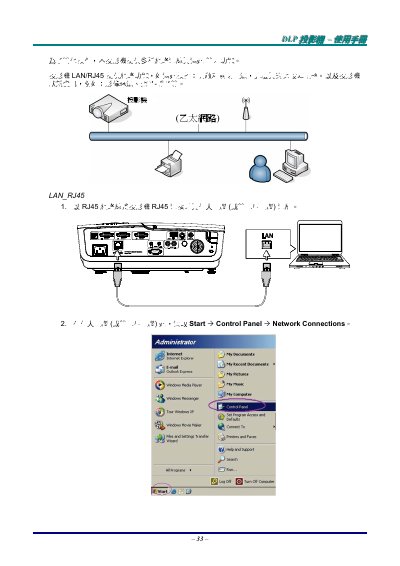
This is an excerpt (pages 33-37) of a Traditional Chinese user manual for a DLP projector. It explains the projector's LAN/RJ45 network functions, which allow remote control of power on/off, brightness and contrast adjustment, and reading of projector status information such as image source and audio mute.
The pages walk through connecting the projector's RJ45 port to a computer with a network cable, configuring the computer's TCP/IP address, entering DHCP off, IP address 192.168.10.10, subnet mask 255.255.255.0, gateway 0.0.0.0 and DNS server 0.0.0.0 in the projector's Installation II > Advanced > Network menu, opening the projector's web page, using the Control Panel, and setting up and testing the Email Alert function (To, Cc, Subject, From and SMTP fields). This manual is written in Chinese.
| IP address | 192.168.10.10 |
|---|---|
| Subnet mask | 255.255.255.0 |
| Gateway | 0.0.0.0 |
| DNS server | 0.0.0.0 |
Use an RJ45 network cable to connect the projector's RJ45 port to a personal computer or notebook.
Enter the projector IP address 192.168.10.10 in the browser's address bar.
The To, Subject, From and SMTP fields are required, while the Cc field is optional.
After all required fields are filled in correctly, click the Email Alert Test button; a test mail should arrive in the specified mailbox within seconds.