
This document provides instructions on how to install and use Gigabyte GC-WB867D-I wireless network card, including hardware installation and software installation, and introduces how to connect to a wireless network.
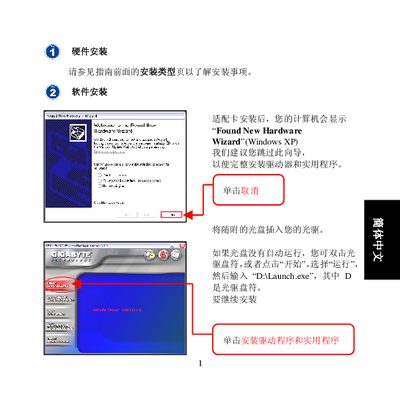
This guide explains how to install the driver and utility software for the GN‑WMAG wireless notebook adapter. Insert the supplied CD, run DALaunch.exe, and follow the prompts to complete the driver installation.
After the software is installed, the client utility will launch automatically to help you connect to a wireless network. You can use the SmartSetup 3 wizard for Gigabyte routers or manually select an access point, refresh the list, and connect. Troubleshooting tips and further configuration details are provided in the accompanying user guide. This manual is written in Chinese.
| Maximum wireless speed | 54.0 Mbps |
|---|