
CLT-789 is a wireless phone with a caller ID function. It can display the caller's phone number and time of call, making it easy for users to choose whether to answer or track down malicious calls.
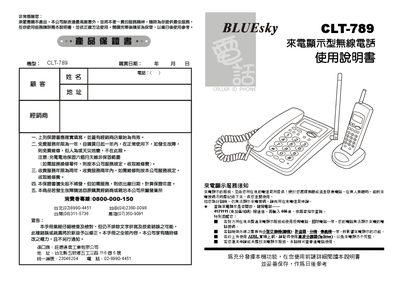
The BLUEsky CLT‑789 is a wireless telephone that shows the incoming phone number and call time on an LCD screen. It supports up to ten selectable channels, can be expanded with up to four sub‑units, and stores up to 90 incoming and outgoing numbers.
The manual provides step‑by‑step instructions for installation, dialing, channel switching, LCD contrast adjustment, local‑area‑code setup, and fault diagnosis. It also lists the packaging contents and safety warnings. This manual is written in Chinese.
| Number of selectable channels | 10 |
|---|---|
| Maximum number of sub‑units | 4 |
| Stored call records | 90 incoming and 90 outgoing numbers |
| Battery (sub‑unit) | 3.6 V / 280 mAh Ni‑MH |
| Power adapter (mother unit) | AC 110 V, DC 9 V / 300 mA |
| LCD contrast levels | 7 steps |
Dial 4121111 (no area code), wait for the connection, then enter 666# and follow the voice prompts.
Press * * followed by a number 0‑7; the number selects one of the seven contrast levels, confirmed by a beep.
Check that the external power is connected and that the charging contacts on the sub‑unit and the charging base are clean.