
The document provides installation and usage instructions for a monitor, including front view and rear view, as well as the functions of the power button, menu button, contrast and brightness hotkeys. It also explains the on-screen display and OSD controller.
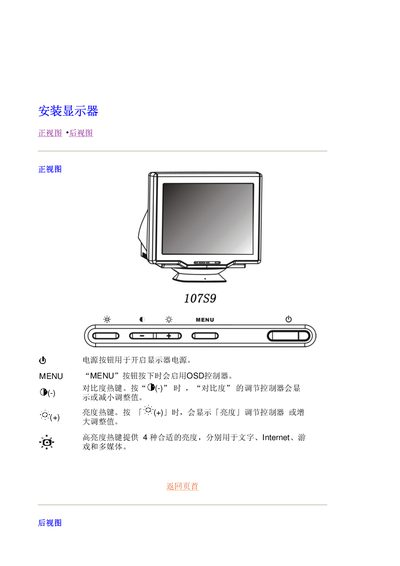
The document explains how to access and navigate the On‑Screen Display (OSD) menu of the Philips 107S9 monitor. It describes the MENU button, the (+) and (‑) keys, and how each function adjusts settings such as brightness, contrast, volume and image mode.
Instructions include step‑by‑step actions for increasing or decreasing brightness and contrast, adjusting volume, selecting picture modes, and using the OSD for other display options. The guide also notes the display’s response time and recommended usage tips. This manual is written in Chinese.