
This document introduces a high-performance mobile workstation in the HP EliteBook series. The product features excellent durability, advanced security capabilities, and advanced management capabilities. It adopts the HP DuraCase chassis, providing robustness and a stylish appearance. It is equipped with a high-performance Intel Core i7 or i5 processor, and offers options for high-resolution displays, high-capacity memory, and large-capacity hard drives or solid-state drives. Additionally, the product supports various security features such as hard drive encryption, fingerprint recognition, and file sanitization. It also features Intel vPro technology, providing energy efficiency and remote management capabilities.
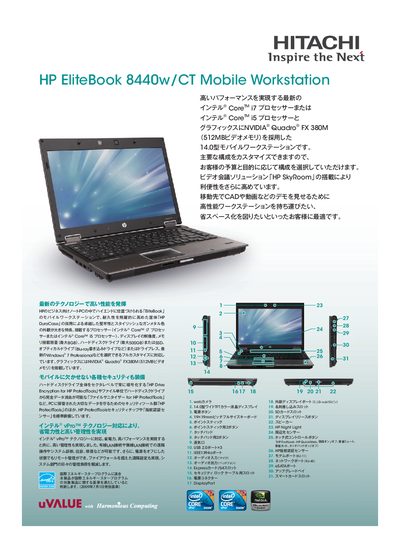
This manual describes the HP ElifeBook 8440w/CT mobile workstation, covering its high‑performance Intel Core processors, NVIDIA Quadro graphics, and customizable configurations such as memory, storage, and display options. It also details built‑in security features like HP Drive Encryption, file sanitization tools, and a fingerprint sensor.
The document includes instructions for system setup, remote management via Intel vPro, connectivity options (USB, HDMI, Ethernet, Wi‑Fi), battery information, and warranty/support contacts. It serves both end users and IT administrators who need to configure, maintain, and secure the device. This manual is written in Japanese.
| Display | 14.0‑inch widescreen TFT LCD |
|---|---|
| Battery | 6‑cell Li‑ion (55 Wh) ~2.5 h off, ~35 h on |
| Weight | ≈2.24 kg |
| Dimensions | 365 × 160 × 345 mm |
It provides three USB 2.0 ports.