
World e-Book Library User Guide
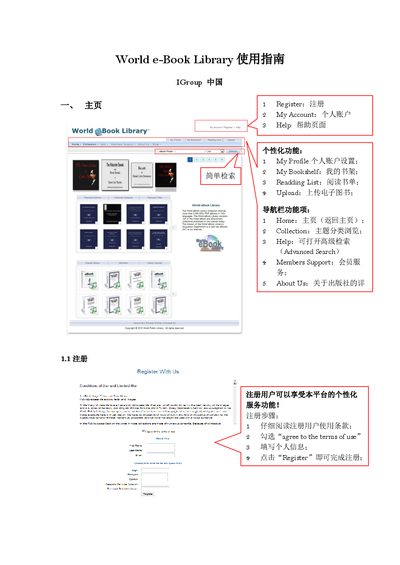
This manual explains how to register an account, set up personal profiles, and use the personalized functions such as My Bookshelf, Reading List, and Upload. It also describes the navigation bar items, including Home, Collection, Help, Members Support, and About Us.
The guide details simple and advanced search methods, browsing academic research collections, viewing featured titles, accessing book detail pages, and reading e‑books online or offline using a PDF reader like Adobe Reader. This manual is written in Chinese.
| Number of resources | 2,000,000+ |
|---|---|
| Maximum file size | 161 MB |
Fill in your personal information, agree to the terms of use, and click the Register button to complete registration.
Enter a search expression in the search box; you can search by Title or Author.
You need a PDF reader such as Adobe Reader to read online, download to a computer or mobile device, or print the entire e‑book.