
Chinese operation manual for the 3nh spectrodensitometer, covering power on/off, USB and Bluetooth links, measuring modes, system settings and specifications.
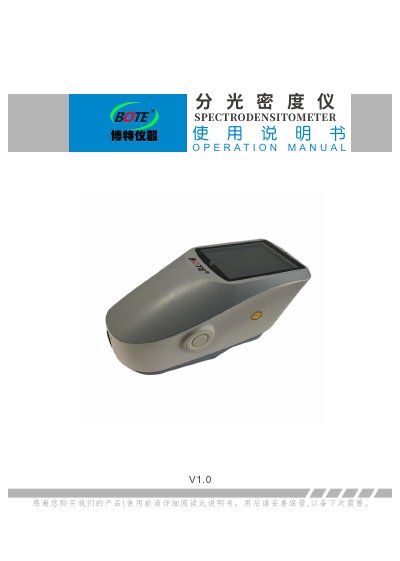
This Chinese operation manual describes the 3nh spectrodensitometer, a grating-based instrument using a 45/0 optical geometry that conforms to ISO 5-4 and CIE No.15 and supports the ISO 13655 measurement conditions M0, M1, M2 and M3. The document opens with safety notes on the built-in battery, the external power adapter and general handling, followed by an overview of the instrument's construction, LED light source, measurement apertures and applications in ink printing, paper making, coatings, research and quality inspection.
The body of the manual walks through switching the instrument on and off, connecting it to a PC over USB or Bluetooth, and using the touch-screen interface. It explains the Basic mode menus (density/TVI and CIE L*a*b*), the Advanced mode menus (densitometer and basic compare), and the System Settings and Calibration screens. Later chapters cover daily maintenance and care, technical specifications, and two appendices. This manual is written in Chinese.
| 照明方式 / 几何结构 | 45/0 (45° ring illumination, 0° reception) |
|---|---|
| 符合标准 | ISO 5-4, CIE No.15 |
| 测量波长范围 | 400~700 nm |
| 波长间隔 / 半带宽 | 10 nm |
| 感应器 | 256-pixel dual-array CMOS image sensor |
| 测量口径 | Single aperture, Φ2mm / Φ4mm / Φ8mm selectable |
| 测量条件 | M0 (CIE illuminant A), M1 (CIE illuminant D50), M2 (UV excluded), M3 (M2 + polarizing filter) |
| 密度标准 | ISO Status T, E, A, I |
| 颜色空间 | CIELAB, XYZ, Yxy, LCh |
| 观察者角度 | 2° / 10° |
| 存储容量 | More than 20,000 measurement records (some models) |
Slide the power switch to "1" to power the instrument on; the indicator light turns steady green. Slide it to "0" to switch it off and the indicator goes out.
The battery may need charging.
Turn on the instrument's System Settings → Bluetooth function, open Bluetooth on a Bluetooth-capable PC and search for the device, for example 3nh-ble-device-01, then enter the pairing code to connect.
Charge the instrument once every two weeks; otherwise the internal battery can be damaged.